
Feedback
Seedance 2.0 AI Video Generator for Fast Cinematic Clips
Turn prompts and reference images into polished, share-ready videos with Seedance 2.0 AI Video Generator. It streamlines text-to-video and image-to-video creation with smooth motion, strong scene consistency, and fast rendering.
All Tools
Browse AI tools.
Nano Banana Pro
Advanced AI Image Generator
Sora2 AI
Advanced AI Video Generator for High-Quality Videos
Moive Maker
Turn Ideas into Stunning Movies with AI

Veo3.1 Video Generator
Create Stunning Videos with Veo3.1
3D Science Video
Create 3D science videos easily

AI Ads Video Generator
Generater Ads Video With AI
AI Educational Video Generator
Generate Educational videos easily
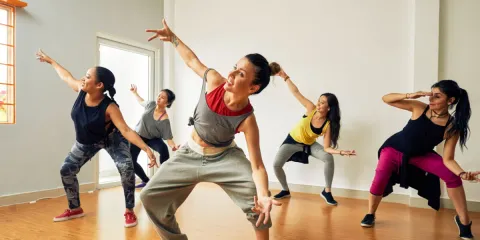
Photo to dance Video
AI Dance Video Generator
Seedance 2.0 AI Video Generation Examples
Try the powerful Veo3 video generator with these cases
Build Professional-Grade Videos with Seedance 2.0 AI Video Generator
Seedance 2.0 AI Video Generator is a multimodal creation platform that turns text prompts, images, audio cues, and video references into polished cinematic clips. Use natural language and uploaded assets to guide motion, camera movement, character consistency, and sound sync for publish-ready output.
- Multi-Modal InputCombine images, short clips, and audio files in one workflow — Seedance 2.0 AI Video Generator handles mixed assets together and supports up to 12 uploads for flexible control.
- Reference AnythingReference dances, visual effects, camera moves, or character styles from your uploads, and Seedance 2.0 AI Video Generator will mirror the selected detail with accuracy.
- Edit & Extend VideosExtend clips, refine sequences, or swap visual elements while keeping the story flow intact — Seedance 2.0 AI Video Generator supports iterative edits without starting over.
How to Use Seedance 2.0 AI Video Generator
Create mobile-friendly videos in three simple steps with Seedance 2.0 AI Video Generator.
Core Capabilities of Seedance 2.0 AI Video Generator
Seedance 2.0 AI Video Generator gives creators a controllable multimodal workflow for reference-guided, cinematic video production with steady characters, precise motion, and synced audio.
Multi-Modal Input
Combine images, short video segments, and audio tracks at once; Seedance 2.0 AI Video Generator blends mixed media for guided content creation.
Reference Anything
Mirror cinematography styles, movement patterns, effects, or character styling from uploaded media with Seedance 2.0 AI Video Generator.
Superior Consistency
Keep facial details, clothing, text, and visual style aligned across frames while Seedance 2.0 AI Video Generator reduces drift.
Precise Motion & Camera Replication
Provide a reference sequence to reproduce choreography or advanced camera movement with Seedance 2.0 AI Video Generator.
Video Extension & Editing
Extend, merge, or revise video segments while preserving visual continuity with Seedance 2.0 AI Video Generator.
Built‑In Audio Generation
Create scene-matched sound design and music while keeping visuals on beat; Seedance 2.0 AI Video Generator manages audio-video sync.
Frequently Asked Questions
Find quick answers about Seedance 2.0 AI Video Generator features, pricing, and workflows.
What is Seedance 2.0 AI Video Generator?
Seedance 2.0 AI Video Generator is a fast web-based tool for turning text prompts and visual references into videos.
Is Seedance 2.0 AI Video Generator free?
Yes, Seedance 2.0 AI Video Generator includes free trial credits after registration.
How long does it take?
Seedance 2.0 AI Video Generator usually finishes rendering in about 2-3 minutes.
What video quality is supported?
Seedance 2.0 AI Video Generator supports 720p and 1080p output options.
Can I use videos for business?
Yes, videos created with Seedance 2.0 AI Video Generator can be used commercially.
What makes Seedance 2.0 AI Video Generator special?
Seedance 2.0 AI Video Generator combines easy access, quick output, and polished quality from simple ideas.
Start Creating with Seedance 2.0 AI Video Generator
Join creators using Seedance 2.0 AI Video Generator to turn ideas into mobile-ready video content.